Available on the App Store

ScanSeek AI App Icon

Search Anything
You Screenshot.

Stop scrolling endlessly through your gallery. ScanSeek AI extracts text, categorises, and explains your screenshots with the power of AI — all on-device and private.

Download on the App Store

Free to download  ·  iPhone
OCR
On-Device Text Recognition
AI
Smart Explanations
6+
Auto Categories
100%
Private & On-Device

Everything you need to
find what you saved

ScanSeek AI turns your chaotic screenshot library into an organised, searchable, and intelligent collection.

🔍

Instant Text Search

Search any word or phrase across all your screenshots. Powerful OCR extracts text from every image so you can find exactly what you need in seconds.

🧠

AI Explanations

Tap "Explain with AI" and get instant, intelligent analysis of any screenshot — receipts, code snippets, complex chats, foreign text, and more.

📂

Smart Categories

Screenshots are automatically sorted into categories like Shopping, Travel, Finance, Food, Code, and more — your visual world, beautifully organised.

🌐

Multi-Language OCR

Recognise text in English, Arabic, Urdu, Chinese, Spanish, and many more languages. Perfect for multilingual users and international content.

🔒

Privacy First

All OCR processing happens on your device using Apple's Vision framework. Your screenshots never leave your phone. No account required.

Smart Search Ranking

Search results are ranked intelligently — exact phrase matches appear as "Best Matches" first, followed by partial word matches for comprehensive results.

Your screenshots, decoded

Real screenshots from the app — see how ScanSeek AI transforms how you interact with your saved moments.

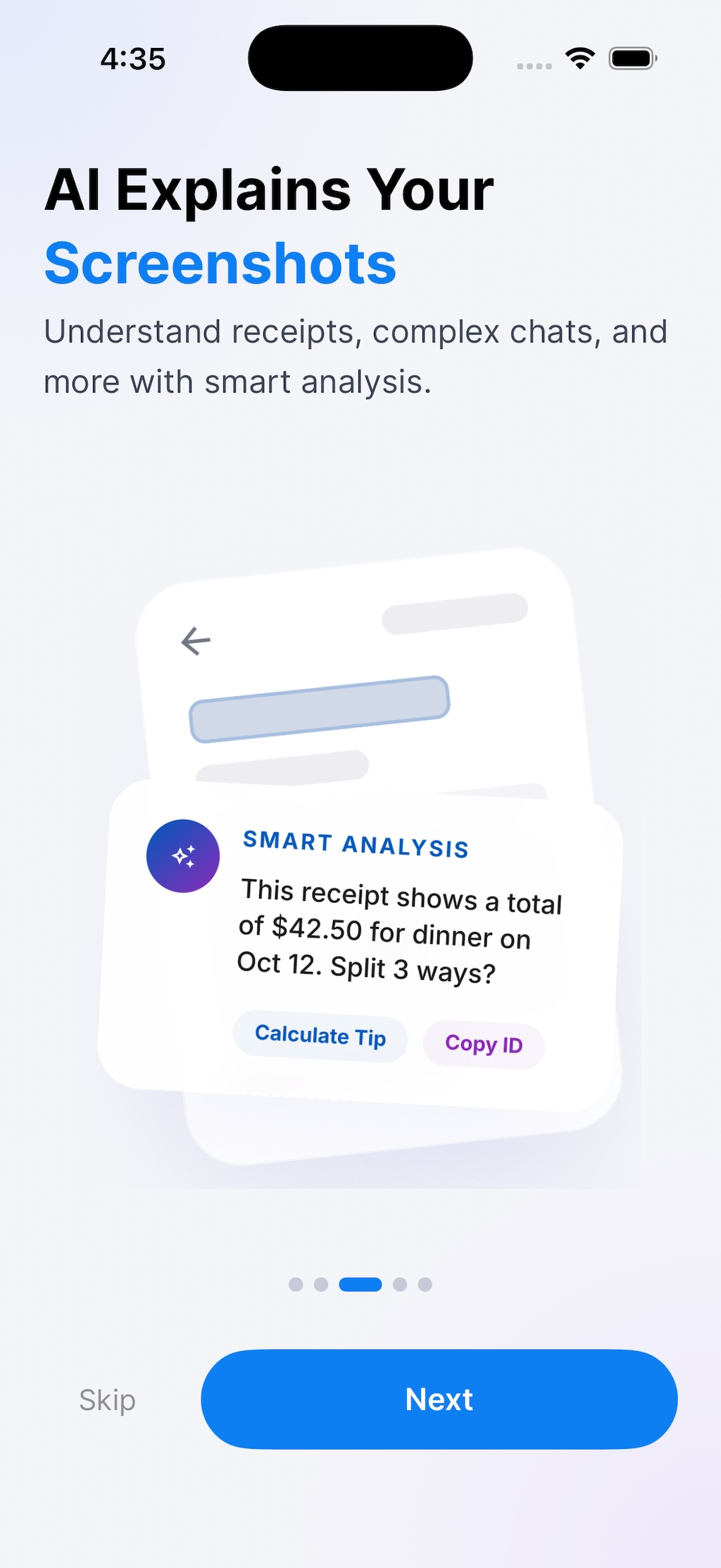
AI Explains Your Screenshots

Understand receipts, complex chats, code, and more with smart analysis. ScanSeek AI reads, interprets, and explains what's in your screenshots — so you don't have to.

  • Smart analysis of receipts and invoices
  • Explains code snippets and error messages
  • Understands multilingual text
  • AI-generated search suggestions
ScanSeek AI - AI Explanation feature

Automatically Organised

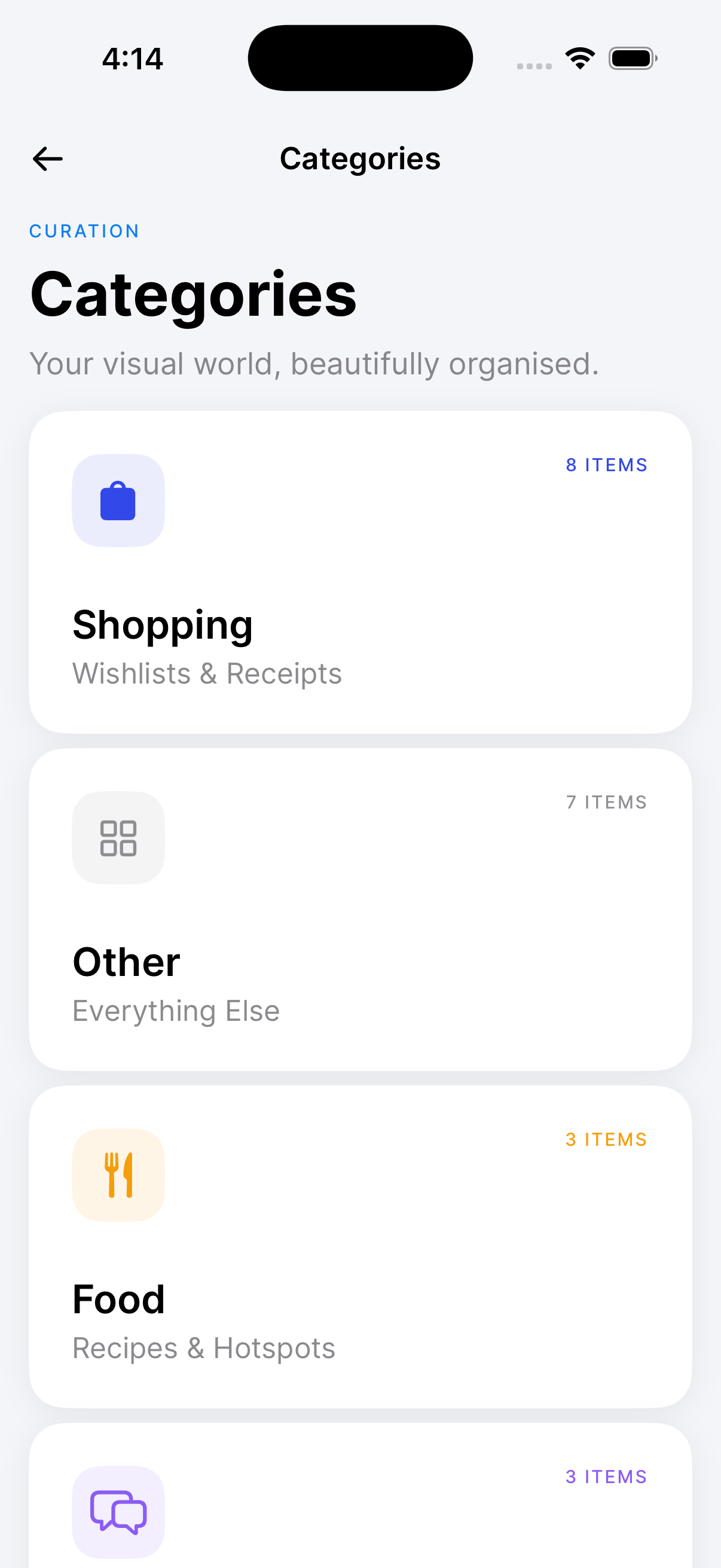
Stop wasting time manually sorting screenshots. ScanSeek AI analyses the content and automatically groups your screenshots into smart categories like Shopping, Travel, Finance, Food, and more.

  • Shopping wishlists and receipts
  • Travel bookings and itineraries
  • Finance and banking statements
  • Food recipes and restaurant finds
  • Code snippets and technical notes
ScanSeek AI - Smart Categories

Simple by design.
Powerful by nature.

No setup headaches. Grant photo access and ScanSeek AI takes care of the rest.

  • 1

    Download & Open

    ScanSeek AI is free and ready the moment you install it. Grant photo access and you're live — we only access screenshots, your photos stay private.

  • 2

    Scan & Index

    Tap Index and ScanSeek AI scans all your screenshots using on-device OCR, extracting every bit of text and categorising them automatically.

  • 3

    Search & Find

    Type any keyword to instantly find the screenshot you're looking for. Use date filters, category filters, or just search by text.

  • 4

    Explain with AI

    Need to understand a receipt, code, or foreign text? Tap "Explain with AI" for an instant, intelligent breakdown of any screenshot.

BEST MATCH
AI EXPLAINED
🛍️ Shop
✈️ Travel
💰 Finance
🍔 Food

Built for the way you save

Thoughtfully crafted to turn your screenshot chaos into organised clarity.

🔍

Find any screenshot in seconds

No more scrolling through hundreds of screenshots. Just type what you remember — a word, a name, an amount — and ScanSeek AI finds it instantly across your entire library.

🧠

AI That Understands

Not just OCR — ScanSeek AI actually explains what's in your screenshots, from receipts to code to conversations.

🌍

Multi-Language

Support for Arabic, Urdu, Chinese, Spanish, and many more languages with proper RTL text rendering.

🔒

Privacy First

Everything is processed on-device. No cloud uploads, no accounts, no tracking. Your data stays yours.

📱

Beautifully Designed for iOS

Built natively with SwiftUI, ScanSeek AI feels right at home on your iPhone. Smooth animations, intuitive navigation, and a clean design that makes managing screenshots a pleasure.

ScanSeek AI

Never lose a screenshot again.

Free to download. No sign-up required. Your screenshots, searchable and intelligent.

Download on the App Store